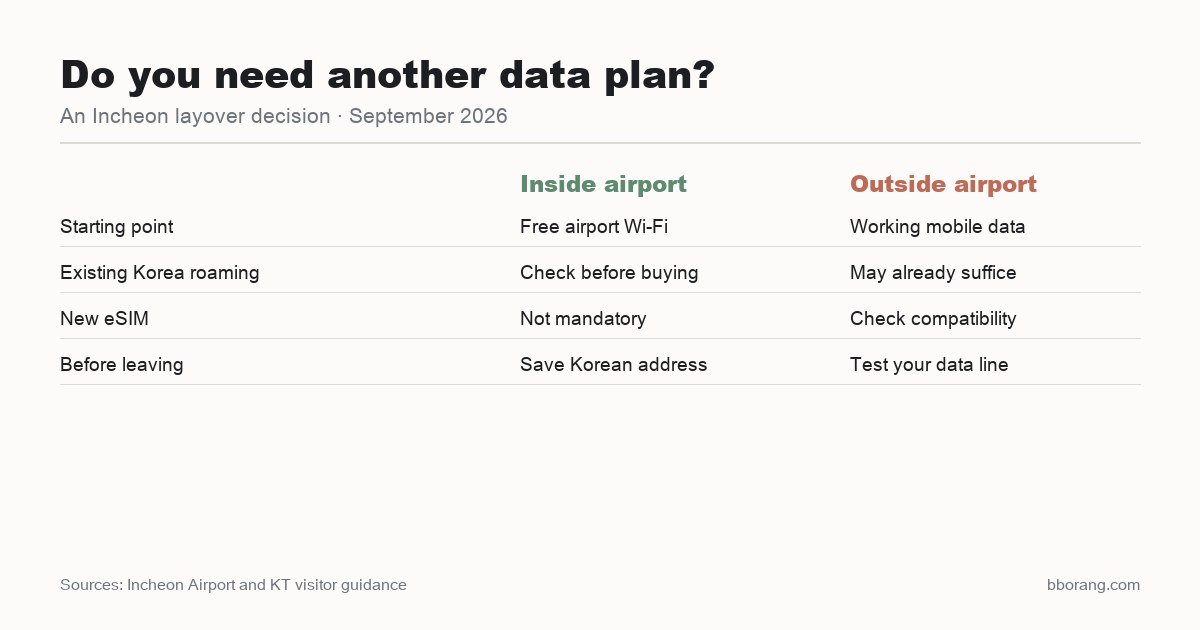
The short answer: you do not need to buy an eSIM just because you have a layover at Incheon Airport. Free airport Wi-Fi can cover a stay inside the terminal. If you leave for a meal, arrange working mobile data—your existing Korea roaming allowance may already be enough.
The decision is not “which eSIM is best?” before every trip. It is whether you can check your route once you leave airport Wi-Fi. For a short outing on Yeongjong, I would settle that before shopping for a second data plan. This is a planning guide, not a speed test or a review claiming that I bought and tested competing providers.
When is airport Wi-Fi enough?
Incheon Airport advertises free Wi-Fi. If you are staying in the terminal and need to message someone, look up your gate or read a saved guide, try that connection before buying anything. An eSIM is an option, not an entry requirement or a condition for using the airport.
That does not make airport Wi-Fi a connection for your whole day outside. A restaurant may have Wi-Fi too, but the gap that matters is between places: checking a bus departure, finding the right street or looking up the return route. Do not build a time-sensitive outing around finding another hotspot each time you need information.
| Your situation | A practical starting point |
|---|---|
| Staying in the airport | Use the free airport Wi-Fi; no automatic need to buy a plan |
| Your current plan includes Korea data | Check the allowance and use that if it suits the visit |
| Leaving the airport without roaming data | Compare a compatible eSIM with a physical SIM |
| Phone does not support eSIM | Consider existing roaming or a compatible physical SIM |
What should you check before buying an eSIM?
Check two things on your exact phone: whether it supports eSIM and whether it is unlocked for another carrier. A familiar model name alone does not settle compatibility; variants and carrier restrictions matter. KT’s visitor eSIM guidance specifically requires a compatible, carrier-unlocked device.
Next, read the plan’s start rule. Do not assume every product begins counting time at the same moment. For example, KT’s visitor eSIM guidance describes validity starting on installation and warns against deleting a single-use eSIM. Follow the instructions for the product you actually buy rather than installing, deleting and trying the QR code again.
Read what the plan includes as well as how much data it offers. A data-only plan is not a promise of ordinary voice calls or SMS. If all you need is maps and messaging over data, that may suit you; if you need calls, check that separately. There is no universal number of gigabytes that every short layover requires.
Can you sort out connectivity after landing?
Yes. KT lists visitor SIM, eSIM and Wi-Fi-router services at Incheon Airport. Its Terminal 1 listings include an arrivals-floor counter opposite Exit 13 operating 24 hours, and another opposite Exit 2 operating 06:00–22:00. Those are T1 arrivals locations, not directions to an airside transfer lounge or a T2 counter. Counter information was checked on 9 September 2026.
Buying at a counter is one option if you want to discuss compatibility. It is not an extra stop you need to make when your own roaming already works. Check which terminal your flight uses before following a pickup instruction, especially if an online order specifies a collection point.
What should you do before leaving airport Wi-Fi?
Download Naver Map while connected and save the Korean name and address of your destination. For Unseo, the station name is 운서역. A saved English restaurant nickname is less useful than the actual Korean name when you need to search again or show someone where you are going.
Save your restaurant address and a screenshot of the return plan, including the correct departure terminal. Screenshots are a fallback, not live departure information. Open the map again when you need an updated bus connection. The transport-card guide helps with tickets and payment, which are separate from phone connectivity.
If you are relying on mobile data, turn Wi-Fi off briefly and check that a map or web page loads before leaving the building. Confirm that the phone is using the intended data line. If the connection fails, follow the provider’s setup instructions while airport Wi-Fi is still available instead of making repeated purchases.
Does having an eSIM mean you have time to leave?
No. Connectivity solves a navigation problem, not immigration or the return deadline. Start with whether you can leave Incheon during your connection or use the layover time calculator. If the trip fits only when every step is instant, buying mobile data will not create more time.
For a simple six-hour meal outing, keep the route focused. Choose the food, check how to return, then pick the least complicated connection that works for your phone. There is no benefit in buying another plan merely to complete an airport-shopping checklist.
Frequently asked questions
Do I need an eSIM if I never leave Incheon Airport?
Not automatically. Incheon provides free Wi-Fi, so try the airport connection first if it covers what you need.
Do I need a Korean eSIM when my home plan already includes Korea?
Not necessarily. Check the roaming allowance, charges and terms of your existing plan before buying a second one.
Will any smartphone work with a tourist eSIM?
No. Check the exact device’s eSIM support and carrier-lock status against the provider’s requirements before purchasing.
Can I rely on downloaded screenshots for the whole outing?
They are useful backups for names, addresses and the return terminal. They do not update bus departures, traffic or route changes; use a working connection when you need current information.